| AT Command | |
Description |
AT+CIPSTART comamnds starts a TCP or UDP connection.
Parameters
- 0..7 - Connection number
- "TCP" or "UDP"
- Remote server IP address
- Remote server port
- remote domain name
Usage:
AT+CIPSTART=? - Test
|
Support |
Simcom Module Tutorial |
Examples |
AT+CIPSTART=?
+CIPSTART: ("TCP","UDP"),("(0,255).(0,255).(0,255).(0,255)"),(1,65535)
+CIPSTART: ("TCP","UDP"),("DOMAIN NAME"),(1,65535)
OK
Start a TCP connection
AT+CIPSTART="TCP","116.228.221.51","8500"
OK
Start a UDP connection
AT+CIPSTART="UDP","116.228.221.51"."9600"
CONNECT OK
| | Keywords | AT+CIPSTART syntax, examples, parameters, error, input, response. |
|
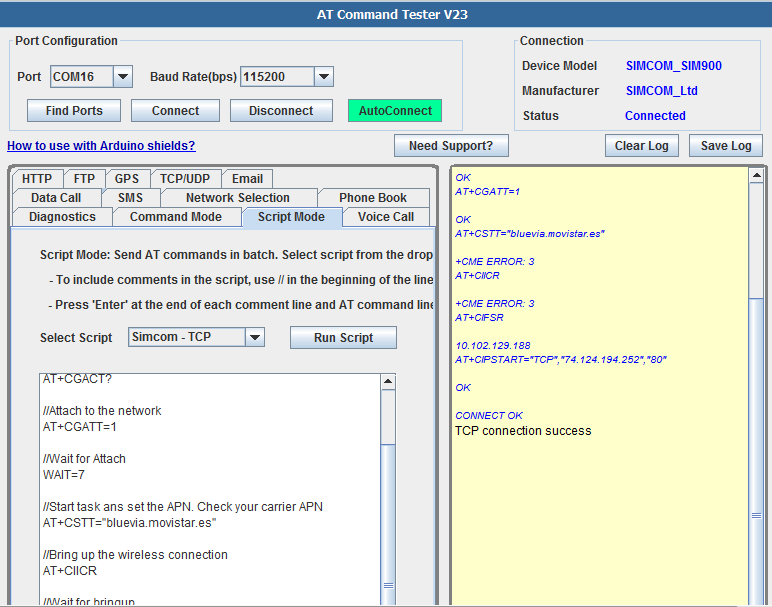
With Online AT Command Tester tool, you can test Simcom TCP/IP feature.
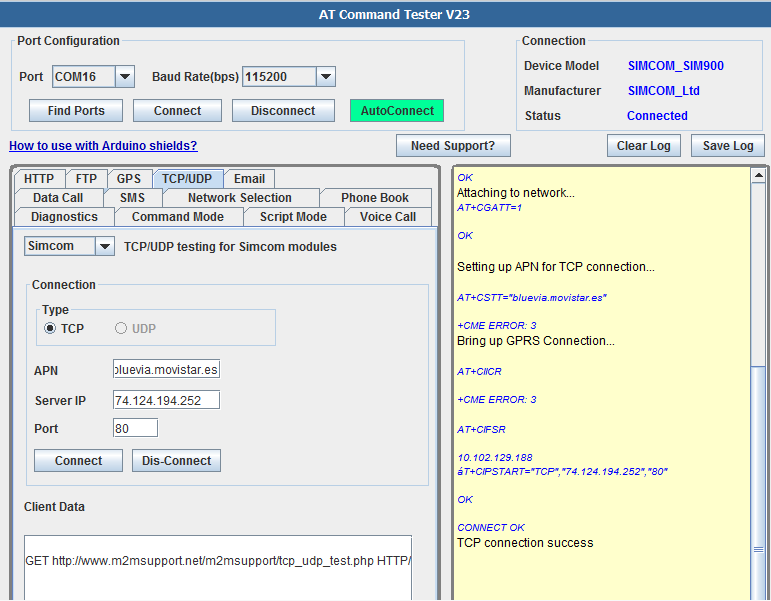
You can also send commands to set up TCP/IP connection in the ‘Script Mode’ tab of the AT Command Tester,
//Check the registration status

AT+CREG?
//Check attach status
AT+CGACT?
//Attach to the network
AT+CGATT=1
//Wait for Attach
WAIT=7
//Start task ans set the APN. Check your carrier APN
AT+CSTT="bluevia.movistar.es"
//Bring up the wireless connection
AT+CIICR
//Wait for bringup
WAIT=6
//Get the local IP address
AT+CIFSR
//Start a TCP connection to remote address. Port 80 is TCP.
AT+CIPSTART="TCP","74.124.194.252","80"