TCP/IP testing with Simcom SIM7500 and SIM7600 Modules
Steps to test TCP/IP with SIM7500and SIM7600 Modules
- Verify that the device is registered with the network provider
- Set active PDP context’s profile number using the AT+CSOCKSETPN comamnd
- Set for non-transparent TCP/IP application mode using the AT+CIPMODE command
- Ge the local IP address using the AT+IPADDR command
- Start the TCP connection with AT+CIPOPEN command
- Once TCP connection has been successfully established, send data using the AT+CIPSEND command.
AT Command Tester Tool provides an interface to test the TCP connection with the Simcom modules. Enter the APN information. Use the default server/port or enter the server you want to connect.
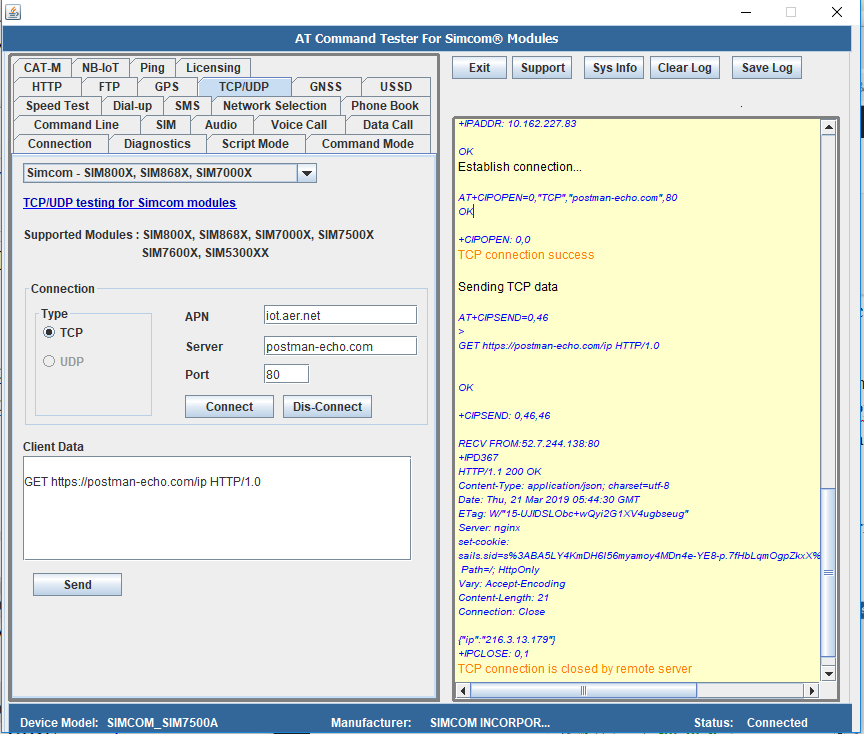
TCP function can also be tested with script mode in the AT Command Tester tool.
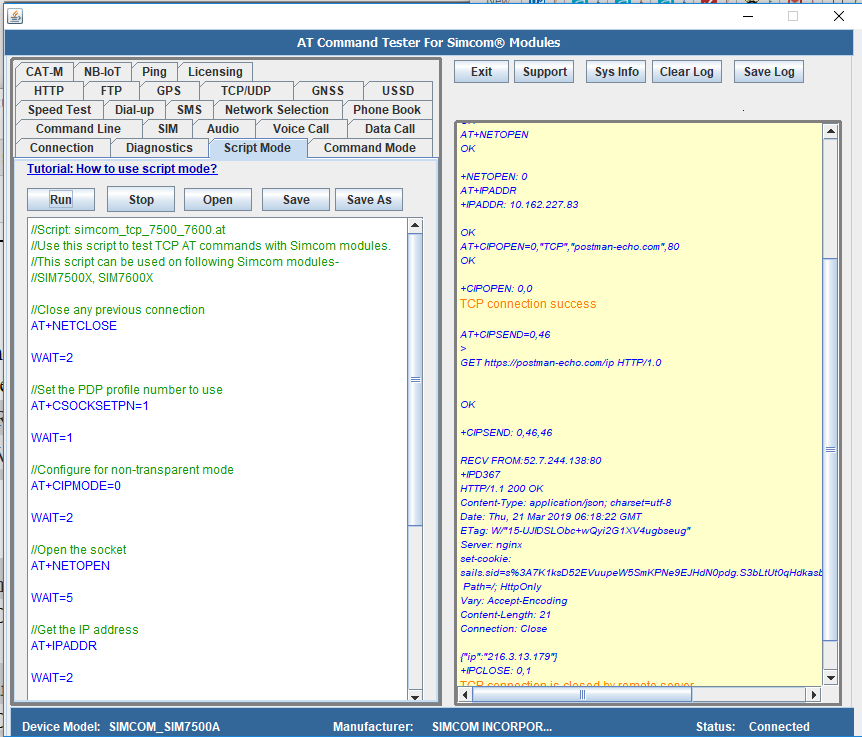
Try the script in AT Command Tester tool.
//Script: simcom_tcp_7500_7600.at //Use this script to test TCP AT commands with Simcom modules. //This script can be used on following Simcom modules- //SIM7500X, SIM7600X //Close any previous connection AT+NETCLOSE WAIT=2 //Set the PDP profile number to use AT+CSOCKSETPN=1 WAIT=1 //Configure for non-transparent mode AT+CIPMODE=0 WAIT=2 //Open the socket AT+NETOPEN WAIT=5 //Get the IP address AT+IPADDR WAIT=2 //Start the TCP connection AT+CIPOPEN=0,"TCP","postman-echo.com",80 WAIT=3 //Send client data AT+CIPSEND=0,46 WAIT=2 //Send the HTTP formatted dataGET https://postman-echo.com/ip HTTP/1.0 //Send the CTRL+Z character ^z
Output of the script in the AT Command Tester tool.
AT+NETCLOSE

TCP connection is closed by remote server

OK

+NETCLOSE: 0
TCP connection is closed by remote server

AT+CSOCKSETPN=1

OK
AT+CIPMODE=0

OK
AT+NETOPEN

OK

+NETOPEN: 0
AT+IPADDR

+IPADDR: 10.162.227.83

OK
AT+CIPOPEN=0,"TCP","postman-echo.com",80

OK

+CIPOPEN: 0,0
TCP connection success

AT+CIPSEND=0,46

>
GET https://postman-echo.com/ip HTTP/1.0


OK

+CIPSEND: 0,46,46

RECV FROM:52.7.244.138:80
+IPD367
HTTP/1.1 200 OK
Content-Type: application/json; charset=utf-8
Date: Thu, 21 Mar 2019 06:18:22 GMT
ETag: W/"15-UJIDSLObc+wQyi2G1XV4ugbseug"
Server: nginx
set-cookie: sails.sid=s%3A7K1ksD52EVuupeW5SmKPNe9EJHdN0pdg.S3bLtUt0qHdkasbXzrxQxA7HbLG64q%2BiAv1jghwaBrQ; Path=/; HttpOnly
Vary: Accept-Encoding
Content-Length: 21
Connection: Close

{"ip":"216.3.13.179"}
+IPCLOSE: 0,1
TCP connection is closed by remote server